Pages

Saturday, February 26, 2011

Once Again...

New banner & background once again. The banner this time's a gif & as you can [hopefully] see, the character in the banner blinks.

This was done using the animation section on Photoshop. [Will upload a step-by-step how I did it later on].


As for the background, the usual story. One solid colour for the background & two different colours for the brushes.


This is how the banner looks:


Pen Tool

Since we're using Adobe Illustrator, using the Pen Tool is a must.

"In graphics software, the pen tool is frequently used in the creation of smooth-edged selections, but is not a type of selection tool. The Pen Tool creates vector paths that can be converted into selections that in turn can be used to extract or mask group of pixels." Info From Here

During the lecture, we had to do an exercise; Tracing the word "VECTOR" using the Pen Tool.

Colorization

This week we've learned how to colorize a photo [on Photoshop] using the Masks.


  • Black & white
  • Add vector mask
  • Use Brush
  • Go around the area you want
  • Hue & Saturation/Solid Colour
Basically.


Sunday, February 20, 2011

On A Sunday Afternoon...

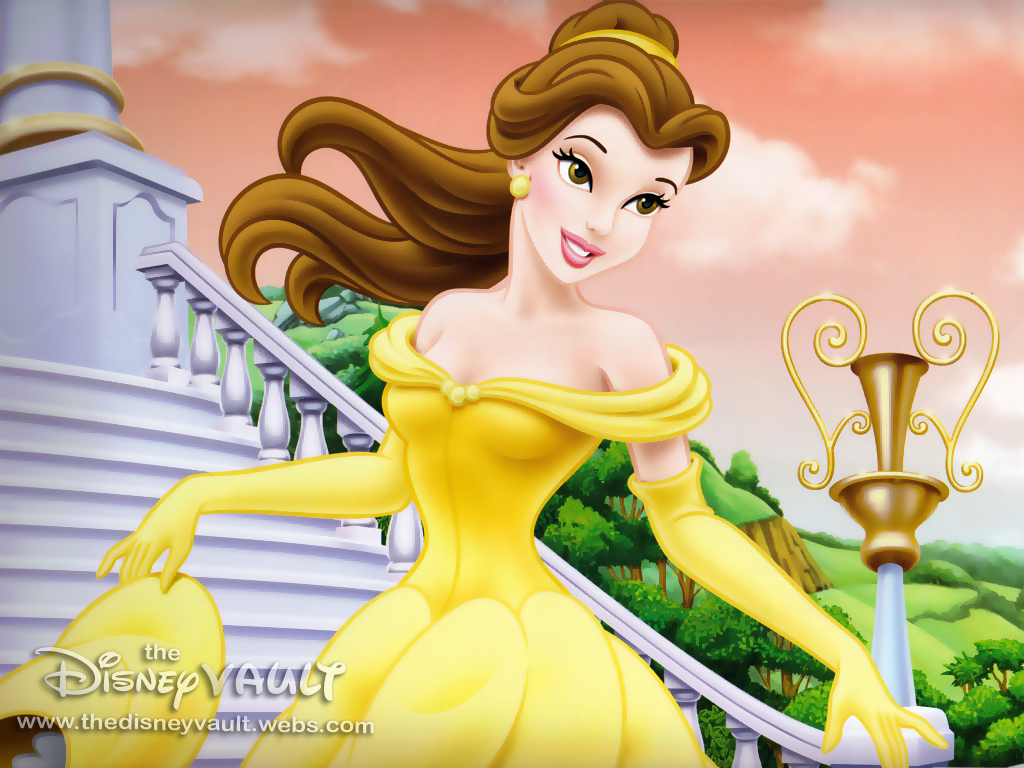
Today I've done this picture of the gorgeous Disney Princess, Belle.

This is the one I made (Awesome, right?)


And this is the original one (obviously)

Working with the tablet, I've first used Illustrator to trace the picture & then exported it to Photoshop (as you will see below) to fill it in with colours & work on it more.

Here's the process:

I've first imported the picture on Illustrator

Then I've traced it

This is how it looks sketched

Once it was ready I've exported it to Photoshop

Later on I've started filling & refining it in as you will see

First the skin, hair & face

Later on the clothes & accessories

Redefining the clothes

Redefining the face

Removed the black outline & redefined it

Adding the final touches

Same as the previous one


Ta-da!

I lost count on how long it took me to finish it, I know it did take me two hours (minimum).

New Background & Banner; Again

Done yet another banner & background for my blog. Yay! As you can see, I used three colours this time (excluding that doll up in the banner); Brown, mint & dark lilac (Dark lilac maybe?)


Background

Banner


love Photoshopa lot. Like a lot a lot.


Thursday, February 17, 2011

Audience

Researching about your audience is a very important task; asking your target audience questions about what their likes, dislikes, lifestyle & such. This happens by creating a questionnaire or a survey. The better you know your audience the better the product will be.


There are two types of research: Quantitative & Qualitative.

The quantitative = Numbers, statistics, how much, how many (ex: How many toes do you have? 12!) whereas the qualitative = Why/Why not, how, descriptive answers (ex: Where were you yesterday? On Jupiter!)

Once the research has been carried out & analyzed one can build up an audience profile. It is a study of customer needs & wants, gathering as much information as possible so that the final product will be received well by the audience.

It is also used to list the main characteristics of the target audience so that the media product can be fully personalized for them. It would help to determine the appropriate style, tone, format & amount of information that is required in the Media Product.

Writing an audience profile; usage of the product, background of the audience, the way the final product will be delivered, who is the target audience, their demographics, the type of audience (mainstream, alternative, nice), how or why the product interests them, what their needs, wants & expectations would be of the advertised product, the audience's level of expertise (familiar, newbie), the type of advert the target audience would need whether it is persuasive or informative.

New Layout

New design/layout for my blog! Grays & white with three colours in the header/banner.

First Layout


New Layout

Wednesday, February 16, 2011

Photoshop: Levels & Curves

Levels:

A tool in Photoshop which can modify brightness levels of an image histogram. It has the power to adjust brightness, contrast & tonal range by specifying the location of complete black, complete white & midtones in a histogram.

Curves: 

Are similar to the Levels tool. With the curves tools one can take input tones & selectively modify them [stretch or compress them]. Unlike levels however a tonal curve is controlled using any number of anchor points.


Sunday, February 13, 2011

0.1 of 10


I'm not going to lie to you, this was the worst movie I have ever seen. Ever.

I don't know what all the hype is about. I fail to understand why it is considered as The Greatest Movie of All Time. I'm sorry, I just don't get it.
Yes the settings, such as lighting, shots, camera angles, were good but the storyline, in my opinion, was not. It's long, dull, has a lot of talking [some scenes, if not all, were barely audible], slow-paced & downright boring. It also contains some disgusting & gruesome scenes.

I was literally counting the minutes for it to end.

I'm going to be honest with you, I'm not going to write a review about it. I think that's all there is to say.

On a scale from 1 to 10 I'd give it 0.1.

Wednesday, February 9, 2011

Photo Retouching

Today's lecture of Photoshop: Photo Retouching. Used these two photos, still need to work on them & add the final touches.


Before
 After
 Before
After

Tuesday, February 8, 2011

Information Graphics

Information Graphics (also known as Infographics) are graphic visual representations of information, data or knowledge. They represent complex information quickly & clearly by using:

  • Signs
  • Maps
  • Journalism
  • Technical Writing
  • Education

Infographics surround us in the media; such as in road signs & manuals. They illustrate information as visual shorthand for everyday concepts such as stop & go.

Fact: Computer Scientists, Mathematicians & Statisticians develop & communicate concepts using a single symbol to process information.

A cool website which shows examples on Infographics is http://www.coolinfographics.com/

Recreate A Commercial/Advert

During the lecture of Unit 30 - Advertisement Production for TV, we had to choose a commercial/advert & recreate a storyboard for it. If it was realist, we had to make it anti-realist, funny/humorous - dramatic, etc.

The commercial/adv I chose was the Volkswagen Commercial: Black Beetle


(Storyboard)